
TABLE OF CONTENT171
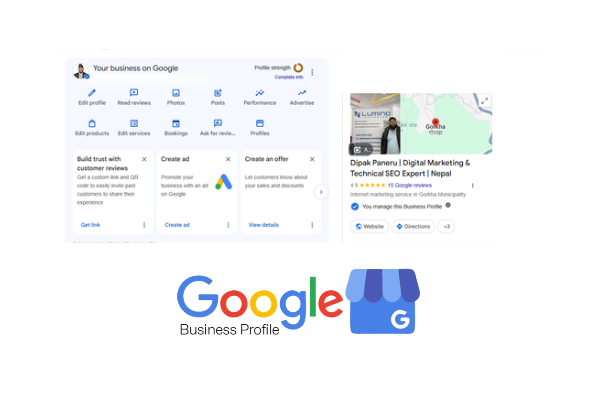
Google Business Profile: The Foundation – A Complete Step-by-Step Guide to Local SEO and Google Maps Visibility
Introduction: Why Google Business Profile Is the Foundation of Local SEO
When people search for a nearby restaurant, hotel, digital marketing agency, travel company, spa, retail store, repair service, or professional service provider, they often begin their journey on Google Search or Google Maps.
They want answers to practical questions:
Which businesses offer the service they need?
Where is the nearest business?
Is the business open right now?
What products or services does it provide?
How much do customers trust it?
What do previous customers say about their experience?
How can they contact, visit, or book the business?
Google Business Profile helps businesses provide these answers directly within Google's search ecosystem.
Google Business Profile (GBP), formerly known as Google My Business (GMB), is a free business listing and management platform that enables eligible businesses to manage how they appear across Google Search and Google Maps.
However, Google Business Profile is much more than a business directory listing. When properly configured and consistently maintained, it becomes an important component of a company's digital presence, customer acquisition strategy, reputation management, and local search engine optimization (Local SEO).
For local businesses, a properly optimized Google Business Profile can help improve discoverability, communicate accurate business information, attract customer interactions, and support stronger local search performance.
Whether you operate a restaurant in Lisbon, a luxury spa in Pokhara, a hotel in Kathmandu, a software company in Nepal, or a multi-location enterprise serving international markets, understanding Google Business Profile is an essential part of building a reliable local search presence.
This guide explains everything from initial account creation and business verification to advanced optimization, local ranking signals, review management, website integration, performance measurement, troubleshooting, and long-term growth.
The objective is not simply to create a Google listing. It is to build an accurate, trustworthy, relevant, and customer-focused business presence.
1. What Is Google Business Profile?
Google Business Profile is Google's platform for managing eligible business information displayed in Google Search and Google Maps.
It allows business owners and authorized representatives to manage essential information, including:
Official business name
Primary and additional business categories
Physical business address
Service areas
Contact telephone numbers
Website URLs
Opening and closing hours
Special operating hours
Business descriptions
Products and services
Business attributes
Photos and videos
Customer reviews and responses
Available booking, appointment, or ordering links
Performance insights
The information helps potential customers understand what a business offers, where it operates, and how to interact with it.
1.1 Google Business Profile vs. Google My Business
Google My Business was the previous name of Google's business management platform.
Google introduced Google Business Profile as the replacement name and moved many management activities directly into Google Search and Google Maps.
The terminology changed, but the underlying purpose remained:
To help businesses manage their presence and help customers discover accurate information about local businesses.
You may still encounter older references to:
Google My Business
GMB listing
Google My Business SEO
Google Maps business listing
Google local business listing
These terms are commonly used when people refer to Google Business Profile.
1.2 How Google Business Profile Works
The process can be understood through five stages:
Business representation: A business creates or claims its listing.
Verification: Google checks whether the business is eligible and whether the person managing it has the required authority.
Profile optimization: The business provides accurate information, categories, services, photos, and other relevant details.
Customer interaction: Customers discover the business, request directions, visit its website, call, or engage with available features.
Continuous management: The business updates information, responds to reviews, publishes relevant content, and monitors performance.
A Google Business Profile is therefore not a one-time SEO activity. It requires ongoing management.
1.3 Is Google Business Profile Free?
Yes. Creating and managing a Google Business Profile is free.
Businesses do not need to purchase Google Ads to create a profile or qualify for organic visibility in Google Maps.
However, businesses may separately invest in:
Website development
Local SEO services
Professional photography
Review management systems
Reputation monitoring
SEO tools
Google Ads campaigns
Multi-location listing management
These investments are optional and should be evaluated according to business objectives.
Official resource: https://www.google.com/business/
2. Why Google Business Profile Is Important for Every Local Business
A business website provides detailed information about a company, but many customers first encounter a business through its Google listing.
For local businesses, this creates an important opportunity.
A well-maintained profile can help customers discover a business when they search for relevant services or locations.
2.1 Increase Local Search Visibility
Consider these searches:
Best restaurant in Pokhara
Luxury spa near Lakeside
Digital marketing agency in Nepal
Hotel near Kathmandu Airport
Mexican restaurant in Lisbon
SEO consultant near me
These searches communicate local intent.
Google can display local business information through its local results and Google Maps.
A relevant, eligible, and properly maintained Business Profile can help a business participate in these discovery opportunities.
2.2 Build Customer Trust
Customers often evaluate a business before contacting it.
They may examine:
Business name and location
Customer reviews
Average rating
Business photographs
Opening hours
Services
Website
Responses from the business owner
Accurate information and genuine customer feedback help people make informed decisions.
2.3 Generate Customer Actions
Depending on the business category, region, device, and available profile features, customers may be able to:
Call the business
Visit the website
Request directions
View photographs
Read reviews
Book an appointment
Make a reservation
Explore services
Access ordering options
These actions can connect online discovery with offline business activity.
2.4 Support Brand Visibility
Google Business Profile provides another place where customers can encounter a company's brand.
Consistent business names, contact details, website information, photographs, and descriptions help create a recognizable digital identity.
2.5 Support Local SEO
Local SEO involves improving a business's visibility in geographically relevant search results.
Google Business Profile is an important part of this process, but it is not the entire strategy.
A complete local SEO approach also includes:
Website optimization
Local landing pages
Technical SEO
Structured data
Relevant backlinks
Local citations
Genuine customer reviews
Brand mentions
Consistent business information
Location-specific content
A Business Profile and a well-optimized website should work together.
3. Understanding How Google Local Search Rankings Work
Before optimizing a profile, it is important to understand how Google determines which businesses appear in local results.
Google officially identifies three major factors:
Relevance
Distance
Prominence
These factors provide the foundation for understanding local search visibility.
3.1 Relevance
Relevance refers to how closely a Business Profile matches what someone is searching for.
For example, imagine a customer searches for:
"Luxury spa in Pokhara."
Google needs to identify businesses that genuinely provide spa-related services.
Relevant profile information may include:
Correct primary business category
Appropriate additional categories
Accurate services
Business description
Website content
Business attributes
Other information that helps Google understand the business
Optimization strategy:
Make sure the primary category accurately represents the business's main activity.
For example:
A restaurant should select an appropriate restaurant category.
A hotel should select an appropriate hotel category.
A spa should select the most accurate spa category.
A software company should select a category representing its primary business activity.
Do not select categories simply because they contain attractive keywords.
3.2 Distance
Distance refers to how far a business is from the location associated with a search.
For example, a person searching for "coffee shop near me" may receive results influenced by their current location.
A business located close to that searcher may have a geographic advantage over a business located much farther away.
Important considerations:
Maintain an accurate physical address.
Set a precise map pin.
Configure genuine service areas when applicable.
Avoid false addresses.
Never create fictional locations to manipulate local rankings.
Distance is not something that can be optimized through keyword insertion.
3.3 Prominence
Prominence describes how well-known a business is.
Google may consider information about a business from across the web, including links, articles, directories, and reviews.
Practical ways to develop prominence include:
Building a strong website
Earning relevant backlinks
Receiving genuine customer reviews
Maintaining accurate local citations
Developing local brand awareness
Publishing useful content
Obtaining legitimate media coverage
Building relationships with relevant organizations
A business should develop real-world and digital authority rather than attempting to manipulate ranking signals.
3.4 Can a Business Guarantee the Number One Position?
No.
No legitimate SEO professional can guarantee a particular Google Maps position.
Local search results can change depending on the searcher's location, search phrase, competition, business eligibility, and Google's systems.
The correct objective is to improve relevance, build prominence, maintain accurate information, and provide a positive customer experience.
4. Step 1: Check Whether Your Business Is Eligible
Before creating a profile, confirm that the business meets Google's eligibility requirements.
Google generally requires eligible businesses to make in-person contact with customers during their stated business hours.
Eligible business types commonly include:
Retail stores
Restaurants
Hotels
Spas
Salons
Medical practices
Repair services
Professional offices
Service-area businesses
Other qualifying businesses that interact with customers in person
4.1 Storefront Businesses
A storefront business has a physical location where customers can visit.
Examples:
Restaurants
Hotels
Retail shops
Spas
Salons
Customer-facing offices
Such businesses should provide an accurate address and meet the applicable location requirements.
4.2 Service-Area Businesses
Some businesses travel to customers instead of receiving them at their own premises.
Examples:
Plumbers
Electricians
Cleaning services
Mobile repair professionals
Certain delivery and maintenance businesses
These businesses can configure service areas.
If customers are not received at the business address, the address should generally be hidden from public display.
4.3 Hybrid Businesses
A hybrid business serves customers at its location and also travels to customer locations.
For example, an automotive repair business may receive customers at its garage and provide roadside assistance.
A qualifying hybrid business may show its storefront address and configure a service area.
4.4 Businesses That Are Not Eligible
Examples of generally ineligible listings include:
Online-only businesses without qualifying in-person customer contact
Lead-generation companies
Rental or for-sale properties without an eligible operating business
Virtual offices that do not meet Google's requirements
Mailboxes and remote P.O. boxes
Businesses that cannot demonstrate the required relationship with a listed location
A business should never create a false location simply to obtain a listing.
Important: Read Google's official eligibility and ownership guidelines before proceeding.
https://support.google.com/business/answer/13763036
5. Step 2: Prepare Your Business Information Before Registration
Preparation reduces mistakes during setup and helps maintain consistency across your digital presence.
Create a business information document before creating or claiming the profile.
5.1 Essential Business Information
Prepare the following information:
Field | Information required |
|---|---|
Business name | Official real-world business name |
Primary category | Main business type |
Additional categories | Relevant secondary business types |
Address | Genuine physical business address |
Map location | Correct map pin |
Service area | Genuine areas served |
Phone number | Direct business contact number |
Website | Official business website |
Business contact email | |
Opening hours | Actual customer-facing hours |
Description | Accurate business introduction |
Logo | Official brand logo |
Cover image | Professional brand photograph |
Business photos | Genuine location and service images |
Services | Actual services offered |
Attributes | Applicable business features |
5.2 Establish NAP Consistency
NAP stands for:
Name
Address
Phone number
NAP consistency means maintaining accurate business identity and contact information across relevant platforms.
Check your:
Website
Google Business Profile
Facebook
Instagram
LinkedIn
Local directories
Industry directories
Business listings
Other trusted online references
For example, if the business name is officially "Meraki Luxury Spa," avoid using unrelated variations such as "Meraki Best Luxury Spa Pokhara" across listings unless that is the actual real-world business name.
Consistency helps customers identify the same business across different platforms.
5.3 Prepare Official Branding
Recommended brand assets include:
Business logo
Storefront photographs
Interior photographs
Exterior photographs
Team photographs
Product photographs
Service photographs
Business introduction video
Use genuine photographs that represent the actual business.
Do not use misleading stock photographs to represent a physical location.
6. Step 3: Create or Claim Your Google Business Profile
The next step is to create a new profile or claim an existing listing.
Official website:
https://www.google.com/business/
6.1 Sign In With a Business-Controlled Google Account
Use a Google Account controlled by the business owner or an authorized representative.
Recommended practices:
Use a professional business email where practical.
Enable two-step verification.
Keep account recovery information updated.
Give the owner primary control.
Add marketing agencies and employees through appropriate access permissions.
Avoid building long-term ownership around an employee's personal account without a proper ownership arrangement.
6.2 Search for Your Existing Business
Before creating a new listing, search for the business name and address on Google Search and Google Maps.
There may already be a listing.
If the listing exists, follow the claiming or ownership request process rather than creating a duplicate.
Duplicate profiles can create confusion and may violate Google's policies.
6.3 Enter Your Business Name
Use the actual business name as represented in the real world.
For example:
Correct: Meraki Luxury Spa
Incorrect: Meraki Luxury Spa | Best Spa in Pokhara | Massage Center
Unless these additional words are genuinely part of the established real-world business name, they should not be added to the profile name.
Keyword stuffing in the business name can lead to profile restrictions or suspension.
6.4 Select the Appropriate Business Type
Google may ask whether your business has a physical location customers can visit or whether it serves customers at their locations.
Choose the option that reflects how the business actually operates.
Do not select a storefront configuration for a virtual office or an address where customers cannot legitimately visit.
6.5 Add Your Business Location
For a storefront business:
Enter the actual business address.
Confirm the building and street details.
Add the correct unit or floor where applicable.
Check the map location.
Adjust the pin if necessary.
Confirm that customers can identify the location.
For a service-area business, configure the service area according to the locations genuinely served.
6.6 Select Your Primary Business Category
The primary category is an important part of your profile setup.
Choose the category that most accurately describes what the business is.
Examples:
Restaurant
Hotel
Spa
Software company
Digital marketing agency
Travel agency
Clothing store
Category availability varies by country and Google's current category system.
Choose the most specific suitable category rather than selecting a broad category unnecessarily.
6.7 Add Your Contact Information
Enter:
Business telephone number
Official website URL
Use a phone number that is under the business's control and connects customers to the actual business.
Use the official website or a genuine location-specific landing page.
Check that the website works correctly on mobile devices.
6.8 Complete the Initial Registration
Review the submitted details before proceeding.
Check:
Spelling
Business name
Category
Address
Phone number
Website
Business type
Once the information is correct, proceed to Google's verification process.
7. Step 4: Verify Your Google Business Profile
Verification establishes that the person managing the profile has the required connection to the business.
Google determines which verification methods are available for an individual business.
Depending on eligibility and Google's systems, available methods may include:
Video recording
Video call
Phone
SMS
Email
Other supported methods
Not every business can choose every method.
7.1 Video Verification
Google may request a video showing evidence that the business exists and that the person completing verification has legitimate access.
Depending on the business type, the requested evidence may include:
Business surroundings
Street signs
Building numbers
Storefront signage
Business equipment
Work tools
Business premises
Proof of management or operational access
Follow the exact instructions shown in the verification workflow.
Do not edit or fabricate evidence.
7.2 Phone or SMS Verification
If Google offers phone or SMS verification:
Select the offered method.
Confirm the business telephone number.
Receive the verification code.
Enter the code in the requested field.
Follow the confirmation instructions.
7.3 Email Verification
If email verification is available, Google sends a verification message to the eligible email address.
Open the email and follow the verification instructions.
7.4 Live Video Call Verification
Some businesses may be offered a live video verification option.
A representative may be asked to demonstrate the location, equipment, signage, or business operations.
Prepare the required evidence before beginning the call.
7.5 What Happens After Verification?
After successful verification, the profile can become eligible for display on Google Search and Maps, subject to Google's review and policies.
Verification does not guarantee a particular ranking position.
It also does not automatically mean every profile feature will be available.
7.6 Common Verification Problems
Common issues include:
Incorrect business address
Missing permanent signage
Virtual office address
Inconsistent business information
Insufficient video evidence
No access to the business premises
Duplicate business listings
Suspicious account activity
Ineligible business type
Resolve the underlying issue rather than repeatedly submitting incomplete verification attempts.
Official resource:
https://support.google.com/business/answer/7107242
8. Step 5: Optimize Your Primary and Additional Business Categories
Business categories help Google understand the type of business represented by a profile.
They also help customers discover businesses through relevant searches.
8.1 What Is a Primary Category?
The primary category is the main category selected for a Business Profile.
It should represent the business's core activity.
Examples:
Business | Example primary category |
|---|---|
Meraki Luxury Spa | Spa |
Restaurant | Restaurant |
Hotel | Hotel |
Software development company | Software company |
Travel agency | Travel agency |
Clothing retailer | Clothing store |
The exact category should be selected from Google's available options.
8.2 What Are Additional Categories?
Additional categories describe other significant business activities.
For example, a business may have a primary category that describes its core operation and additional categories for other genuine business activities.
However, adding every potentially related category is not a good strategy.
Choose only relevant categories.
8.3 How to Research the Best Category
Use the following process:
Identify the business's main revenue-generating activity.
Review Google's available categories.
Identify the most specific category that accurately represents the business.
Compare relevant categories used by legitimate competitors.
Review whether additional categories represent genuine business activities.
Avoid categories based solely on keywords.
Reassess categories when the business changes.
Competitor research can help you understand the market, but competitors' category choices should not automatically be copied.
8.4 Common Category Mistakes
Avoid:
Choosing categories only for ranking purposes.
Adding unrelated categories.
Selecting categories for services the business does not offer.
Copying another company's categories without evaluating relevance.
Changing categories repeatedly without a clear reason.
The objective is accurate business classification.
9. Step 6: Write an Effective Google Business Profile Description
The business description helps customers understand what the company offers.
Google allows up to 750 characters in the description field.
The description should be informative, accurate, and customer-focused.
9.1 Recommended Description Structure
A practical structure includes:
Business introduction
Main services or products
Location
Distinctive business information
Customer-focused closing statement
9.2 Example: Luxury Spa
"Meraki Luxury Spa is a spa in Lakeside, Pokhara, offering massage and wellness services in a relaxing environment. Explore our available treatments and learn more about our facilities, services, and appointment options. Visit our location in Lakeside or contact our team for further information."
This is an illustrative example. Confirm every service and facility before publishing.
9.3 Example: Digital Marketing Agency
"[Business Name] is a digital marketing agency providing SEO, local SEO, website optimization, social media marketing, and digital growth services. We help businesses strengthen their online presence through strategic marketing, search visibility, and customer-focused digital solutions."
Again, publish only services the company genuinely provides.
9.4 Business Description SEO Best Practices
Use natural language.
Explain your actual services.
Include the business location naturally when relevant.
Use accurate industry terminology.
Avoid keyword repetition.
Do not insert URLs.
Avoid promotional pricing language.
Do not use HTML.
Stay within the character limit.
A description is not a place to publish a long keyword list.
10. Step 7: Add Accurate Business Address and Service Areas
Location accuracy is essential for customer experience and local search relevance.
10.1 Physical Business Address
For storefront businesses, use the genuine address where customers can visit.
Check:
Country
State or province
City
Street
Building number
Floor
Unit number
Postal code, where applicable
10.2 Map Pin Accuracy
A correct written address does not always guarantee that the map pin is correctly positioned.
Review the pin carefully.
The marker should represent the actual business location.
Incorrect pins can cause:
Customer navigation problems
Missed appointments
Delivery confusion
Customer complaints
Reduced trust
10.3 Service Area Configuration
Service-area businesses can identify the locations where they genuinely provide services.
For example, a qualifying home maintenance business may serve several nearby cities.
Select only areas that the business actually serves.
Google generally limits the overall service area to approximately two hours of driving time from the business's base, although some businesses may qualify for larger areas.
10.4 Avoid Fake Locations
Never use:
Virtual offices that do not qualify
Unrelated residential addresses
Borrowed addresses
Fake storefronts
Mailboxes
Competitor addresses
Creating fake locations can lead to restrictions or suspension.
11. Step 8: Set Business Hours and Special Hours
Accurate opening hours are important for customer experience.
Customers often search for businesses that are open now.
Add your regular operating hours carefully.
11.1 Regular Business Hours
Set the actual hours during which customers can visit or receive services.
For example:
Monday: 9:00 AM – 6:00 PM
Tuesday: 9:00 AM – 6:00 PM
Wednesday: 9:00 AM – 6:00 PM
Thursday: 9:00 AM – 6:00 PM
Friday: 9:00 AM – 6:00 PM
Saturday: 10:00 AM – 5:00 PM
Sunday: Closed
This is only an example. Use the actual business schedule.
11.2 Special Hours
Use special hours for:
Public holidays
Festivals
Temporary closures
Special events
Seasonal changes
11.3 Additional Operating Hours
Certain eligible businesses may configure additional hours for different services or operations.
For example, a restaurant may have separate operating schedules for different customer-facing services.
Use these options only when they accurately represent the business.
11.4 Why Accurate Hours Matter
Incorrect hours can cause:
Customer frustration
Missed visits
Negative reviews
Lost enquiries
Reduced customer confidence
Review operating hours regularly.
12. Step 9: Add Business Services and Products
Services and products help customers understand what the business provides.
They also provide additional structured information about the business.
12.1 Services
Service-based businesses should add their actual services.
Examples:
Spa:
Full body massage
Relaxation massage
Facial treatments
Body scrub
Other verified treatments
Digital Marketing Agency:
Search engine optimization
Local SEO
Technical SEO
Google Business Profile management
Social media marketing
Website optimization
Hotel:
Accommodation
Room reservations
Other eligible hotel services
Do not add services that are unavailable or misleading.
12.2 Service Descriptions
Where supported, add clear descriptions explaining:
What the service includes
Who it is intended for
Important service details
Relevant customer information
Avoid excessive keyword repetition.
12.3 Products
Eligible businesses may have product-related features depending on category and region.
Add accurate product information where the feature is available.
Product information may include:
Product name
Description
Photograph
Price, where supported
Relevant product destination
Do not confuse Google Business Profile product features with a complete ecommerce inventory system.
12.4 Keep Information Updated
When a business discontinues a service or product, update the profile.
Outdated information can create a poor customer experience.
13. Step 10: Upload Professional Business Photos and Videos
Visual content helps customers understand what a business looks like before visiting.
Photos are particularly useful for restaurants, hotels, spas, retail stores, and tourism businesses.
13.1 Important Photo Categories
Consider uploading:
Official business logo
Exterior photographs
Interior photographs
Reception area
Products
Services
Team photographs
Business facilities
Customer-facing areas
Relevant business activities
13.2 Exterior Photographs
Exterior photographs help customers recognize the location.
Include genuine photographs showing:
Main entrance
Business signage
Building exterior
Street-facing view
Relevant identifying features
13.3 Interior Photographs
Interior photographs help customers understand the environment.
For example:
Restaurant seating
Hotel rooms
Spa treatment rooms
Reception areas
Retail displays
Office interiors
13.4 Product and Service Photographs
Show the products and services actually available.
Use clear, accurate, high-quality photographs.
13.5 Video Content
Where supported, upload appropriate short videos that demonstrate the business.
Examples:
A tour of the business premises
Restaurant food preparation
Hotel facilities
Spa environment
Product demonstrations
Professional service activities
13.6 Photo Optimization Recommendations
Use original photographs.
Maintain consistent visual quality.
Avoid misleading images.
Avoid excessive text overlays.
Use appropriate image dimensions.
Upload images relevant to the business.
Follow Google's media content policies.
Do not assume that adding geotags or inserting keywords into image filenames directly improves Google Maps rankings.
The primary objective is to provide genuine visual information.
14. Step 11: Develop a Professional Review Management Strategy
Customer reviews are an important part of online reputation management.
They help potential customers understand other people's experiences with a business.
Google also identifies review information as one of the sources that can contribute to local business prominence.
14.1 How to Request Reviews
Ask customers for genuine feedback after they have experienced your products or services.
Appropriate methods include:
Sending a review link after a completed service
Displaying a review QR code
Including a review request in a follow-up message
Asking satisfied and dissatisfied customers equally for honest feedback
14.2 Never Buy Reviews
Avoid:
Fake customer accounts
Paid positive reviews
Employee-generated reviews presented as genuine customers
Review exchanges
Incentives in exchange for reviews
Selectively requesting reviews only from happy customers
Review manipulation
These practices can violate Google's policies.
14.3 How to Respond to Positive Reviews
A professional response should:
Thank the customer.
Refer naturally to their experience.
Maintain a friendly tone.
Avoid repetitive copy-and-paste responses.
Protect customer privacy.
Example:
"Thank you for sharing your experience with us. We appreciate your feedback and are pleased to hear that you enjoyed your visit. We look forward to welcoming you again."
14.4 How to Respond to Negative Reviews
Use a calm and professional approach.
Read the review carefully.
Understand the customer's concern.
Acknowledge the experience.
Avoid arguments.
Do not disclose private customer information.
Offer an appropriate offline resolution.
Follow up when necessary.
Example:
"Thank you for bringing this to our attention. We are sorry to hear that your experience did not meet your expectations. We take customer feedback seriously and would appreciate the opportunity to understand your concerns further. Please contact our team directly so we can review the matter."
14.5 Can Businesses Remove Negative Reviews?
Businesses cannot simply delete genuine negative reviews because they disagree with them.
However, reviews that violate Google's policies may be reported for review.
Use Google's official review reporting process.
14.6 Review Management KPIs
Monitor:
Total review count
Average rating
New reviews per month
Review response rate
Response time
Common customer complaints
Frequently mentioned positive experiences
Do not focus exclusively on the average star rating. Genuine customer feedback can reveal operational problems and opportunities for improvement.
15. Step 12: Publish Google Business Profile Posts
Posts can communicate relevant business updates to customers through supported Google surfaces.
Depending on the available post types and category, businesses may publish:
Updates
Offers
Events
15.1 Business Updates
Examples:
New service announcements
New product arrivals
Business news
Facility updates
Relevant announcements
15.2 Offers
Eligible businesses can publish promotional information using supported offer features.
Ensure all details are accurate and that terms are clear.
15.3 Events
Businesses can share relevant upcoming events.
Examples:
Workshops
Special business events
Restaurant events
Community activities
15.4 Post Content Structure
A useful post can follow this structure:
Headline: Introduce the update.
Main content: Explain what is happening.
Customer value: Describe why the information matters.
Call to action: Direct the customer to an appropriate action, where supported.
15.5 Posting Frequency
There is no officially guaranteed posting frequency that improves rankings.
A practical editorial schedule may include one or two meaningful updates per week, depending on the business's activities.
Prioritize relevance and accuracy rather than publishing repetitive posts.
16. Step 13: Add Relevant Business Attributes
Attributes help customers understand additional characteristics of a business.
Depending on the category and region, examples may include:
Accessibility features
Payment options
Amenities
Wi-Fi availability
Outdoor seating
Service options
Reservation availability
Family-friendly facilities
Only select attributes that genuinely apply.
Do not add an attribute because it appears useful for SEO if the business does not provide that feature.
17. Step 14: Add Website and Social Media Links
Your Business Profile should connect customers with official digital channels.
17.1 Add the Official Website
Use the website that represents the actual business.
For businesses with multiple locations, use an appropriate location-specific page when available.
For example:
example.com/locations/pokhara/
A dedicated landing page can provide:
Location information
Address
Contact details
Services
Opening hours
Directions
Location-specific photographs
Relevant customer information
17.2 Add Social Media Links
Google supports social media links in eligible regions and profiles.
Available platforms may include:
Facebook
Instagram
LinkedIn
Pinterest
TikTok
X
YouTube
Availability can vary.
Add official accounts that customers can identify as belonging to the business.
17.3 Maintain Website Consistency
Check that the business name, address, phone number, and location details on the website match the verified business information.
Correct discrepancies rather than creating additional variations.
18. Step 15: Build a Strong Local SEO Website Around Your Profile
Google Business Profile should not operate independently of your website.
A website provides more space to explain your services, locations, expertise, and business identity.
18.1 Create a Location Landing Page
Each genuine business location should have a useful page where appropriate.
A local landing page can include:
Business name
Address
Contact information
Opening hours
Main services
Local photographs
Directions
Customer information
Relevant FAQs
Avoid creating thin pages for locations where the business does not genuinely operate.
18.2 Optimize Title Tags
Examples:
"Luxury Spa in Pokhara | Meraki Luxury Spa"
"Mexican Restaurant in Lisbon | Example Restaurant"
"Digital Marketing Agency in Nepal | Example Agency"
These are examples, not ranking guarantees.
Use titles that accurately describe the actual page.
18.3 Optimize Headings
Use a logical heading structure.
Example:
H1: Luxury Spa in Pokhara
H2: About Our Spa
H2: Massage and Wellness Services
H2: Our Location in Lakeside
H2: Contact and Appointments
18.4 Create Helpful Location Content
Write useful content about the services, facilities, and genuine local relevance of the business.
Do not publish repetitive city-name variations merely to target search engines.
18.5 Optimize Internal Links
Link relevant service pages to the location page and connect supporting blog articles to appropriate commercial pages.
This helps users navigate the website and provides search engines with contextual relationships.
18.6 Build Relevant Backlinks
Potential sources include:
Local newspapers
Industry publications
Professional associations
Genuine business partners
Local tourism resources
Relevant business directories
Community organizations
Focus on editorial quality and relevance rather than buying large quantities of low-quality links.
19. Step 16: Implement Local Business Structured Data
Structured data helps search engines understand information presented on a website.
For an appropriate local business website, consider relevant Schema.org types.
Possible types include:
LocalBusiness
More specific LocalBusiness subtypes
Organization
PostalAddress
GeoCoordinates
OpeningHoursSpecification
ContactPoint
Service
ImageObject
BreadcrumbList
WebSite
WebPage
19.1 LocalBusiness Schema
LocalBusiness structured data can communicate information such as:
Business name
Address
Telephone number
Website
Geographic coordinates
Opening hours
Relevant images
Price range, where appropriate
19.2 Example JSON-LD
The following is an illustrative template. Replace every placeholder with verified business information before publishing.
<script type="application/ld+json">
{
  "@context": "https://schema.org",
  "@type": "LocalBusiness",
  "@id": "https://example.com/#business",
  "name": "Example Business",
  "url": "https://example.com/",
  "image": "https://example.com/business-image.jpg",
  "telephone": "+977-XXXXXXXXXX",
  "address": {
    "@type": "PostalAddress",
    "streetAddress": "Verified Street Address",
    "addressLocality": "Pokhara",
    "addressRegion": "Gandaki Province",
    "addressCountry": "NP"
  },
  "geo": {
    "@type": "GeoCoordinates",
    "latitude": 28.2096,
    "longitude": 83.9856
  },
  "openingHoursSpecification": [{
    "@type": "OpeningHoursSpecification",
    "dayOfWeek": [
      "Monday",
      "Tuesday",
      "Wednesday",
      "Thursday",
      "Friday"
    ],
    "opens": "09:00",
    "closes": "18:00"
  }]
}
</script>
The coordinates and opening hours above are illustrative, not verified business details.
19.3 Important Structured Data Rules
Mark up information visible on the page.
Use the most appropriate business subtype.
Maintain accurate business identity.
Do not invent reviews or ratings.
Avoid marking up information that customers cannot access.
Validate the implementation.
Monitor Google Search Console.
Structured data does not guarantee rich results or improved local rankings.
Useful testing tools:
20. Step 17: Build Local Citations and Maintain Business Consistency
A local citation is an online mention of a business's identity and contact information.
Citations may appear on:
Business directories
Industry websites
Local portals
Professional associations
Tourism websites
Regional business platforms
20.1 Why Citations Matter
Accurate business references can help customers discover and identify a business.
They can also contribute to the wider information ecosystem through which search engines understand businesses.
20.2 Citation Building Process
Identify reputable platforms relevant to the business.
Confirm the business information.
Create or claim the listing.
Enter accurate details.
Use the official website.
Add genuine business categories.
Check for duplicate records.
Monitor and correct outdated information.
20.3 Avoid Low-Quality Directory Submissions
Do not submit a business to hundreds of irrelevant websites just to increase citation numbers.
Prioritize trustworthy, relevant, and established platforms.
21. Step 18: Advanced Google Business Profile Optimization
After completing the foundational setup, move to more advanced management.
21.1 Profile Completeness
Audit all available fields.
Check:
Name
Category
Address
Service areas
Phone
Website
Hours
Description
Services
Products
Attributes
Photos
Social links
Booking links
Reviews
Some features are category- or region-dependent.
21.2 Competitor Research
Identify businesses competing for similar searches.
Review:
Primary categories
Additional categories
Service descriptions
Website content
Reviews
Customer questions
Local landing pages
Reputation
Relevant citations
Do not copy competitors' information.
Use the research to identify genuine gaps in your own business information and customer experience.
21.3 Keyword Research for Local Search
Research phrases customers actually use.
Example keyword groups for a spa in Pokhara:
Primary keyword:
Spa in Pokhara
Secondary keywords:
Luxury spa in Pokhara
Spa in Lakeside Pokhara
Massage in Pokhara
Wellness spa in Pokhara
Service-related keywords:
Relaxation massage in Pokhara
Body scrub in Pokhara
Facial treatment in Pokhara
Use relevant language naturally on the website and in appropriate profile fields.
Do not insert keyword lists into the business name or description.
21.4 Review Competitor Search Visibility
Compare local search results for relevant queries from different geographic locations.
Record:
Search phrase
Search location
Date
Businesses displayed
Your business's visibility
Competitor visibility
Relevant changes
Remember that a Maps position from one search location is not a universal ranking position.
21.5 Develop a Business Content Strategy
Create website content that answers customer questions.
For example, a hotel might publish:
Types of rooms
Check-in information
Local attractions
Transport information
Booking guidance
A restaurant might publish:
Menu information
Cuisine details
Dietary options, if verified
Reservation information
Location guidance
A software company might publish:
Software solutions
Industry use cases
Product documentation
Case studies
Service information
Content should support actual business expertise and customer needs.
22. Step 19: Understand Google Business Profile Performance Insights
Performance reporting helps businesses understand how customers interact with their profiles.
Google provides performance information through the Business Profile management experience.
Available metrics can vary according to profile type and reporting availability.
22.1 Important Performance Metrics
Monitor:
Search terms: Queries through which customers discovered your profile, where available.
Views: Profile exposure metrics reported by Google.
Calls: Customer call interactions reported by Google.
Website clicks: Visits to the website from the profile.
Directions: Requests for directions.
Messages or bookings: Where these features and metrics are available.
22.2 Measure Actual Business Results
Profile interactions are not the same as confirmed revenue.
A direction request does not necessarily mean a customer visited.
A phone click does not necessarily mean a successful sale.
Track business outcomes separately.
22.3 Connect Google Analytics 4
Where appropriate, use campaign tracking parameters on website links.
Example:
https://example.com/?utm_source=google&utm_medium=organic&utm_campaign=google_business_profileUse the same tracking conventions consistently.
In GA4, review:
Sessions
Landing pages
Engagement
Conversion events
Enquiries
Booking completions
Other business-specific conversions
Avoid treating every profile interaction as a completed conversion.
22.4 Use Google Search Console
Search Console helps monitor organic website search performance.
Track:
Search queries
Clicks
Impressions
Average position
Landing pages
Indexing
Technical problems
Search Console does not provide a complete Google Maps ranking report.
Use it alongside Business Profile performance data and other local SEO monitoring tools.
23. Step 20: Manage Multiple Business Locations
Businesses operating in several locations need a consistent management strategy.
Examples:
Hotel chains
Restaurant groups
Spa chains
Retail networks
Regional service companies
23.1 Create Separate Profiles for Genuine Locations
Each eligible physical location may have its own profile when it meets Google's requirements.
Do not create multiple profiles for the same location simply to target different keywords.
23.2 Maintain Consistent Brand Information
Where the same brand operates under the same real-world identity, maintain appropriate consistency in:
Business names
Categories
Branding
Website structure
Contact details
Operational information
Location-specific differences should reflect real operational differences.
23.3 Develop Location Landing Pages
For each location, provide useful information.
Example:
Each page should represent a genuine location and contain accurate information.
23.4 Manage Access Properly
Keep ownership under the business.
Give appropriate management access to authorized employees and agencies.
Review access when staff members leave or agency relationships end.
24. Step 21: Avoid Google Business Profile Suspensions
Profile suspensions can disrupt a business's online presence.
Prevention begins with following Google's policies.
24.1 Common Causes of Problems
Potential policy issues include:
Keyword-stuffed business names
False addresses
Ineligible business locations
Duplicate profiles
Misleading business categories
Inaccurate business information
Fake reviews
Unauthorized profile manipulation
Misleading content
Policy-violating photographs or posts
24.2 What to Do If Your Profile Is Suspended
Read the suspension notification.
Review the applicable Google policies.
Identify possible violations.
Correct inaccurate information.
Prepare genuine supporting documentation.
Use Google's official appeal process.
Submit relevant evidence.
Follow the instructions provided by Google.
24.3 Evidence Preparation
Depending on the issue, relevant evidence may include:
Business registration documents
Business licenses, where applicable
Utility bills
Official business documents
Photographs of permanent signage
Evidence of actual operations
Documentation showing the relationship between the business and its location
Only submit authentic, relevant documentation.
24.4 Avoid Repeated Unnecessary Appeals
Do not repeatedly submit incomplete appeals without understanding the underlying problem.
Correct the issue and follow the official process.
Official policy resource:
https://support.google.com/business/answer/4569145
25. Step 22: Google Business Profile and AI Search
Search behavior is evolving.
Customers increasingly use conversational search experiences and AI-powered systems to research businesses, products, services, and destinations.
This creates an opportunity to improve the quality and consistency of business information across the web.
25.1 Why Accurate Business Information Matters
AI-powered search systems may use information from multiple sources.
A consistent digital presence helps users and information systems understand:
What the business does
Where it operates
Which services it provides
How it can be contacted
Which website represents it
What customers say about it
25.2 Develop a Strong Business Entity
An entity-oriented strategy includes:
Consistent business naming
Accurate website information
Appropriate structured data
Official social media profiles
Relevant citations
Genuine media coverage
Useful service pages
Clear location information
Consistent contact details
25.3 Optimize for Generative Engine Optimization (GEO)
Generative Engine Optimization focuses on making useful, authoritative, and clearly structured information accessible to AI-driven search and answer systems.
Practical recommendations include:
Publish detailed service pages.
Explain business expertise clearly.
Maintain consistent organization information.
Use appropriate structured data.
Publish original and useful content.
Obtain legitimate references from relevant websites.
Keep important information current.
Answer common customer questions directly.
There is no guaranteed method to make a business appear in every AI-generated answer.
Google Business Profile optimization should remain grounded in genuine business information and customer value.
26. Common Google Business Profile Mistakes to Avoid
Even established businesses make avoidable mistakes.
Mistake | Better approach |
|---|---|
Keyword-stuffed business name | Use the real-world business name |
Incorrect address | Use the genuine eligible location |
Duplicate listings | Claim or resolve existing profiles |
Wrong primary category | Select the most accurate category |
Irrelevant additional categories | Use only genuinely relevant categories |
Fake reviews | Request honest customer feedback |
Purchased reviews | Build authentic reputation |
Inaccurate hours | Update actual operating hours |
Poor-quality photographs | Upload genuine, clear images |
Unrelated business descriptions | Explain actual products and services |
Fake service areas | Select areas genuinely served |
Ignoring customer reviews | Respond professionally |
Outdated services | Keep profile information current |
Unmanaged account access | Maintain proper ownership and permissions |
Ignoring website SEO | Build a complete local SEO strategy |
The most sustainable optimization strategy is based on accurate information, genuine customer experience, and consistent management.
27. A Complete 30-Day Google Business Profile Optimization Plan
The following schedule provides a practical starting point for businesses that need to create or improve their profile.
Week 1: Foundation and Verification
Day 1: Review business eligibility.
Day 2: Search for existing business listings and duplicates.
Day 3: Prepare official business information.
Day 4: Create or claim the profile.
Day 5: Select the appropriate business category.
Day 6: Enter the address, map pin, and contact details.
Day 7: Complete the available verification process.
Week 2: Core Profile Optimization
Day 8: Review the business name and categories.
Day 9: Write the business description.
Day 10: Add operating hours.
Day 11: Configure service areas where applicable.
Day 12: Add services and eligible products.
Day 13: Add business attributes.
Day 14: Review the complete profile for accuracy.
Week 3: Visuals and Reputation
Day 15: Upload the official logo.
Day 16: Upload exterior photographs.
Day 17: Upload interior photographs.
Day 18: Upload product and service photographs.
Day 19: Prepare a genuine customer review request process.
Day 20: Respond to existing customer reviews.
Day 21: Review customer feedback for operational improvements.
Week 4: Website and Performance
Day 22: Review the website link.
Day 23: Optimize the location landing page.
Day 24: Review LocalBusiness structured data.
Day 25: Check NAP consistency.
Day 26: Review local citations.
Day 27: Publish a useful business update.
Day 28: Review available performance metrics.
Day 29: Compare relevant local search results.
Day 30: Prepare the next 60-day optimization plan.
This is a recommended workflow, not a Google-mandated schedule.
28. Advanced Local SEO Audit Checklist
Use the following checklist when auditing an existing Google Business Profile.
A. Business Identity
Business name matches real-world branding.
Profile ownership is controlled by the business.
No unnecessary duplicate profiles exist.
Business eligibility has been checked.
Correct primary category is selected.
Additional categories are relevant.
B. Location Information
Address is accurate.
Map pin is correctly positioned.
Service area is genuine.
Storefront signage meets applicable requirements.
Address visibility is configured correctly.
Contact number is correct.
C. Profile Content
Website URL works.
Business description is accurate.
Description follows the character limit.
Operating hours are correct.
Special hours are updated.
Services are listed accurately.
Products are updated where applicable.
Attributes are genuine.
Social media links are official.
D. Visual Optimization
Official logo is uploaded.
Exterior photographs are available.
Interior photographs are available.
Service photographs are available.
Product photographs are available where applicable.
Videos are relevant and authentic.
No misleading media is published.
E. Reputation Management
Genuine reviews are being received.
Reviews are monitored.
Positive reviews receive professional responses.
Negative reviews are handled appropriately.
No fake reviews are purchased.
Customer feedback is used to improve services.
F. Website and Technical SEO
Website is mobile-friendly.
Website loads reliably.
Location landing page exists where appropriate.
NAP information is consistent.
Appropriate LocalBusiness schema is implemented.
Internal links are relevant.
Sitemap is available.
Search Console is configured.
GA4 tracking is configured where appropriate.
Conversion events are measured.
G. Monitoring and Growth
Business Profile performance is reviewed.
Website conversions are measured.
Relevant local competitors are monitored.
Local search terms are researched.
Business information is reviewed regularly.
Account permissions are audited.
Policy changes are monitored.
29.
Frequently Asked Questions
Everything you need to know about Google Business Profile verification, local SEO, and multi-location management.
How does Dipak Paneru handle Google Business Profile video verification?
Dipak provides a 5-point verification preparation protocol inspecting business premises, exterior signage, equipment, and registration documents before initiating the live video verification stream. This yields a 100% verification success rate across Nepal, Portugal, Japan, and international markets.
What is included in the AI Local SEO Audit?
Our audit methodology inspects Schema.org JSON-LD microdata, EXIF geo-coordinates, and regional citation consistency across top country directories.
Does Dipak Paneru support multi-location businesses across 195 countries?
Yes, Dipak provides multi-location NAP synchronization, geo-targeted landing page creation, and regional directory submission protocols tailored for multi-location enterprise brands worldwide.
About Google Business Profile
Frequently Asked Questions
Everything you need to know about Google Business Profile verification, local SEO, and multi-location management.
How does Dipak Paneru handle Google Business Profile video verification?
What is included in the AI Local SEO Audit?
Does Dipak Paneru support multi-location businesses across 195 countries?
What is Google Business Profile?
Google Business Profile is Google's free platform that enables eligible businesses to manage their information and presence across Google Search and Google Maps.
Is Google Business Profile free?
Yes. Creating and managing a Google Business Profile is free. Optional marketing, advertising, website, and SEO services may involve separate costs.
How do I create a Google Business Profile?
Visit https://www.google.com/business/, sign in with an appropriate Google Account, search for an existing listing, create or claim the profile, provide accurate information, and complete the verification process offered by Google.
How long does Google Business Profile verification take?
Verification time depends on the method and business. Follow the estimated timeline displayed in your verification workflow. Some methods require additional review.
Can I create a Google Business Profile without a physical store?
Yes, some eligible service-area businesses can create profiles without showing a customer-facing storefront address. They must meet Google's eligibility and operational requirements.
Can an online-only business create a Google Business Profile?
Generally, no. Businesses must meet Google's in-person customer contact eligibility requirements, subject to limited exceptions.
How many business categories can I select?
Google allows one primary category and up to nine additional categories. Select only categories that accurately represent genuine business activities.
Does changing the primary category affect local SEO?
Changing the primary category can affect how Google understands and matches a business to relevant searches. Make category changes carefully and use the most accurate category.
Do Google reviews improve Maps rankings?
Reviews are one factor associated with local prominence. However, local rankings also depend on relevance, distance, and other information. More reviews do not guarantee a higher position.
Can I buy Google reviews?
No. Purchasing fake reviews or offering incentives in exchange for reviews can violate Google's policies.
How often should I publish Google Business Profile posts?
There is no officially guaranteed posting frequency for ranking improvements. Publish useful, accurate updates when the business has relevant information to share.
Do photographs improve Google Maps rankings?
Photographs improve the information and visual experience available to customers. Do not assume that uploading a particular number of photos guarantees a ranking increase.
Can I manage multiple locations?
Yes. Eligible businesses can manage multiple genuine locations through appropriate Google Business Profile management arrangements.
Can I use a virtual office address?
A virtual office is generally ineligible unless the location meets Google's applicable requirements for an operating business that serves customers there.
Can I hide my business address?
Yes, qualifying service-area businesses that do not receive customers at their address should generally hide it from public display.
What is the difference between Google Business Profile and Google Maps?
Google Maps is Google's mapping and navigation platform. Google Business Profile is the business information management platform used to manage eligible business information that may appear across Google services, including Maps and Search.
Does Google Business Profile replace a website?
No. A Business Profile and a website serve different purposes. A website provides detailed information, content, services, and conversion opportunities, while the profile supports local discovery and customer interaction.
What is the best primary category for a business?
The best primary category is the most specific available category that accurately describes the business's core activity.
Can I rank in Google Maps without a website?
Some eligible businesses can have a Google Business Profile without a website. However, a useful website can strengthen the overall digital presence and provide more detailed business information.
What should I do if my Google Business Profile is suspended?
Review the relevant Google policies, identify and correct any violations, prepare genuine supporting documentation, and follow the official appeal process.
Does Google Business Profile help with AI search?
An accurate, consistent, and well-maintained business presence can support discoverability and entity understanding across the wider digital ecosystem. However, no Business Profile optimization guarantees inclusion in AI-generated answers.
30. The Future of Local Search: Why Google Business Profile Management Must Be Continuous
Local search is no longer limited to a simple list of business names and addresses.
Customers increasingly expect accurate business information, useful photographs, transparent services, current operating hours, genuine reviews, and easy ways to contact or visit a company.
At the same time, search experiences continue to evolve through mobile discovery, conversational queries, AI-powered answers, and more personalized results.
Businesses should therefore treat their Google Business Profile as an important part of their overall digital infrastructure.
The long-term approach should include:
Accurate business information
Strong business identity
Appropriate categories
Genuine customer reviews
High-quality photographs
Useful service information
A technically sound website
Relevant local content
Consistent citations
Appropriate structured data
Regular performance measurement
Continuous policy compliance
The objective is not to manipulate Google's systems.
It is to make the business easier to understand, easier to discover, and easier for customers to trust.
Conclusion: Google Business Profile Is the Foundation of Local SEO
Google Business Profile is one of the most important starting points for businesses that depend on local customers.
A correctly created and optimized profile helps communicate business identity, location, services, operating hours, and customer information across Google Search and Google Maps.
However, long-term local search success requires more than filling in profile fields.
It requires a complete strategy that combines accurate business representation, appropriate categories, website optimization, customer reputation, local authority, useful content, technical SEO, and consistent performance monitoring.
For a small local business, this can mean becoming easier to find in its immediate service area.
For a growing company, it can mean establishing a stronger presence across several cities.
For an international brand, it can mean developing a consistent and trustworthy local search presence across multiple markets.
Start with the foundation. Build the business entity. Strengthen local relevance. Earn customer trust. Measure performance. Improve continuously.
That is how a Google Business Profile becomes more than a listing: it becomes an integral part of a sustainable local SEO strategy.
About the Author
Dipak Paneru – Digital Marketing Professional and SEO Strategist
Dipak Paneru is a Nepal-based digital marketing professional with experience in search engine optimization, Google Business Profile management, Local SEO, social media marketing, website optimization, and digital brand development.
His work focuses on helping businesses strengthen their online presence, improve local search discoverability, develop their digital identity, and build sustainable organic visibility.
His areas of interest include Google Business Profile optimization, Google Maps SEO, technical SEO, semantic SEO, international SEO, and Generative Engine Optimization (GEO).
Explore: https://dipakpaneru.com/
Official References and Further Reading
Google Business Profile: https://www.google.com/business/
Guidelines for representing your business on Google: https://support.google.com/business/answer/3038177
Business eligibility and ownership guidelines: https://support.google.com/business/answer/13763036
Edit your Business Profile: https://support.google.com/business/answer/3039617
Google Business Profile policies: https://support.google.com/business/answer/13762416
Google Search Central: https://developers.google.com/search/docs
Schema.org LocalBusiness: https://schema.org/LocalBusiness
Google Search Console: https://search.google.com/search-console
Google Analytics: https://analytics.google.com/
Schema Markup Validator: https://validator.schema.org/
Editorial note: Google Business Profile features, verification options, eligibility requirements, and policies can change. Always consult Google's current documentation before making operational changes.